Furniture dimensions: distinguish products, packaging and shipping packages
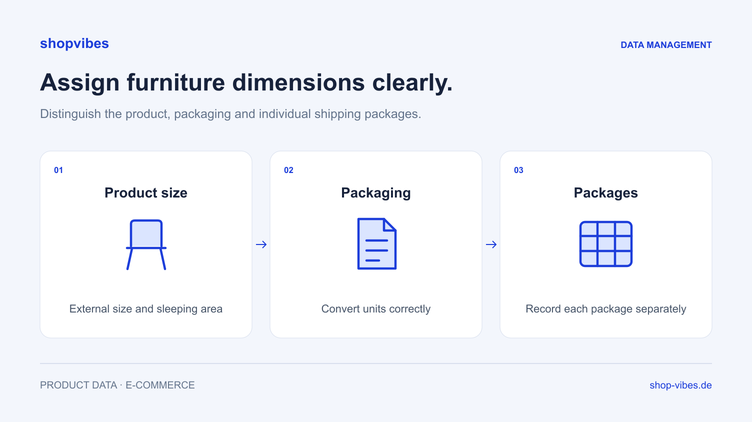
A bed has a sleeping area of 160 × 200 cm, larger external dimensions and several packages. Put all these values in one “dimensions” field and the same record can carry three different meanings in a retailer export.
The solution starts with a clear data model: name what was measured, in which unit and for which variant. This guide shows how to separate product dimensions, usable dimensions and package data, then check the output.
Every measurement needs a clear reference
Without context, “160 × 200” describes neither complete product dimensions nor packaging. Store the meaning and unit alongside the number.
| Measurement type | What it describes | Example for data maintenance |
|---|---|---|
| External product dimensions | The actual product in the stated variant | External width and length of a bed frame |
| Usable dimensions | A specific usable surface or internal area | A bed’s sleeping area |
| Package dimensions | External measurements of an individual package | Length, width and height of package 1 |
| Weight | Mass with an explicit reference | Weight of the product or a particular package |
The table is a structuring aid. The current category template and agreed data process determine which measurement types and field names your retailer requires.
Example: sleeping area and external bed dimensions
The following fictional values belong to our internal example catalogue. They are neither manufacturer specifications nor an official upload template.
| Attribute | DEMO-BED-160-GREY | DEMO-BED-180-GREY |
|---|---|---|
| Sleeping area | 160 × 200 cm | 180 × 200 cm |
| External width | 170 cm | 190 cm |
| External length | 210 cm | 210 cm |
| Colour | Grey | Grey |
| Contents supplied | Bed frame; mattress and slatted base not included | Bed frame; mattress and slatted base not included |
On a product page, the buyer must be able to distinguish the sleeping area from the space occupied by the frame. Use the appropriate attribute for each in the output. Free text saying “bed 160 × 200” does not replace separate values.
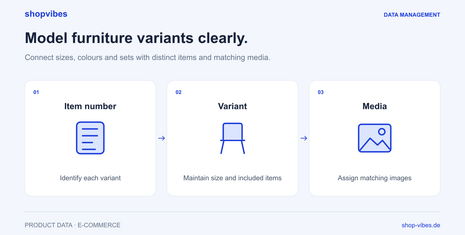
Also check that the measurement belongs to the actual variant. The 180 cm variant’s external width must not be copied from a shared series field to the smaller bed. The guide to furniture variants, sizes and sets explains this further.
Record multiple packages separately
In this fictional case, DEMO-BED-160-GREY is shipped in two packages:
| Package | Length | Width | Height | Weight |
|---|---|---|---|---|
| 1 | 215 cm | 45 cm | 15 cm | 18 kg |
| 2 | 175 cm | 65 cm | 18 cm | 22 kg |
One field containing the sum of the lengths describes neither package. Retain the link to the item and the dimensions of each package. If a partner needs aggregated information, first establish the intended calculation and meaning of the target field.
Keep weight types separate too. The weight of a packed parcel and the product’s net weight are different facts. This example therefore does not derive unmeasured net or product weights.
Convert units deliberately
A source value of 48 cm equals 480 mm. Copying the number 48 unchanged into a millimetre field would describe a different size.
| Source value | Required unit in the fictional target field | Conversion | Expected value |
|---|---|---|---|
| 48 cm | mm | Multiply by 10 | 480 mm |
| 170 cm | mm | Multiply by 10 | 1,700 mm |
| 215 cm | mm | Multiply by 10 | 2,150 mm |
For each assignment, establish whether the source contains a number alone or combines number and unit in text. Also check the decimal format expected in the output. Reformatting must not accidentally append the unit twice or remove it.
For a conversion such as cm to mm in shopvibes, use a suitably configured Multiplier mapping and check it against known values. The Complex Editor combines attribute values with fixed text, for example to produce readable dimensions. Which mappings your team can edit depends on feature access and permissions.
Before and after: turn “dimensions” into traceable values
| Unclear starting point | Structured information | Question for the output |
|---|---|---|
| “Bed 160 × 200” | Sleeping width 160 cm, sleeping length 200 cm | Is the sleeping area used in the intended context? |
| “Width 170” | External width 170 cm | Do the meaning and unit of the target attribute match? |
| “Two cartons” | Packages 1 and 2 with their own dimensions | Are individual package assignments retained? |
| “Weight 40” | For example, separate package weights actually recorded | Which weight type does the partner require? |
| “Width 48 cm” for millimetre output | Source value 48, unit cm and a checked mapping | Does the target contain the expected 480 mm? |
These examples do not prescribe universal marketplace required fields. They show the questions to answer before mapping.
Start with a small test selection
Before rollout, select items with different measurement situations: a simple table, a bed with a distinct sleeping area, and an item with several packages. Include at least two variants where variants apply.
The test has four steps:
- Record the source. Document approved product and packaging values for the test item.
- Check the mapping. Assign each target value to a source with the correct meaning and document necessary conversions.
- Compare the output. Check meaning, value and unit in the generated export or intended transfer process.
- Review the retailer result. After processing, compare the information in the partner process and, where available, on the published product page.
A technically accepted number can still describe the wrong measurement type. Keep a review of the actual product in the workflow.
Checklist for the next retailer output
You can use this list directly in your internal item review:
- Item number and variant are unambiguous.
- External product dimensions and usable dimensions are separate.
- Package count and packaging dimensions are assigned to the item.
- Every number has a clear reference and known unit.
- The weight type matches the information actually recorded.
- Source and target require the same factual meaning.
- Necessary conversions have been tested against known values.
- Decimal format and any included unit have been checked.
- At least two variants have been compared side by side.
- The processed presentation at the partner has been checked.
How shopvibes supports preparation
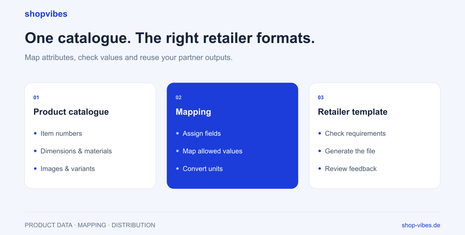
Maintain product attributes in the central catalogue and map them to the configured partner output. Different retailers can require different information. The underlying data model remains traceable when meaning, unit and variant relationships are maintained clearly.
Our template guide follows the workflow from product record to reusable export. The furniture solution places data maintenance in the wider distribution process. Check dimension drawings against the same variant as the product values; the variant images and image order guide develops media checks further. Specific marketplace guides cover home24, OTTO Market and Kaufland.
Bring an item with several measurement types or packages to a demo. We can examine how the source, mapping and partner output fit together.
Sources and review date
Reviewed on 3 November 2026. Dimension and package tables are our own fictional examples; specific retailer fields are checked for each output.
- shopvibes: attribute and value mapping, in German
- shopvibes: attribute values and text in the Complex Editor, in German
- shopvibes: retailer template and unit conversion example
About the author

Author
Tim Hoffmann
Chief Product Officer, shopvibes
Tim Hoffmann is Chief Product Officer at shopvibes. His work focuses on product data management, marketplace integrations and e-commerce workflow automation.