Distinguish Kaufland Marketplace from the supplier model
This page covers Kaufland Global Marketplace: you sell to end customers through your merchant account. Direct supply to Kaufland follows a separate process, described on our Kaufland Vendor page. Confirm the account and approvals for your intended target markets with Kaufland.
The shopvibes help centre documents the transfer of product data, prices and stock through the configured Marketplace connection to the Seller Portal. For your setup, establish which source maintains those values, how they are mapped and which updates are configured. A connection does not replace account approval or Kaufland’s checks.
Product information and your offer serve different purposes
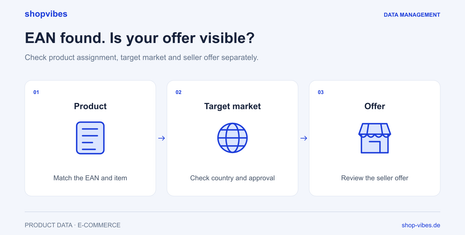
Kaufland separates the description of an item from individual sellers’ offers. An existing product record therefore does not establish that your account has a visible offer which customers can purchase.
| Area | What your team prepares | What you check after transfer |
|---|---|---|
| Identity | Assign the EAN and internal item number to the correct variant | Does the assigned catalogue product match your item? |
| Content | Category, attributes, copy and media | Do dimensions, material and images match the variant? |
| Target market | Approved market and the relevant language | Are you checking the correct market and language context? |
| Offer | Responsible source for prices, stock and agreed delivery information | Does your own seller offer exist, and is it active? |
| Processing | Record the test selection and timing | What feedback and actual offer status are available? |
Kaufland can combine product content from several sources. Check the published presentation: not every submitted value will necessarily be used unchanged.
Five steps to a configured connection
- Define the account, market and first product group. Start with a manageable range. Agree the Kaufland partner setup and data scope with our team.
- Check product identity. Match the EAN and item number to the actual size, colour and contents supplied. Reuse an existing assignment only for the matching variant.
- Map source attributes and target values. Prepare categories, dimensions, materials and media in the central catalogue. Check the allowed values and units for that product group.
- Test product data and the offer. Transfer representative items. Review both the product content and your offer in the intended target market.
- Define recurring updates. Name the leading systems and responsible people. Check changes to content, prices and stock against the agreed process.
Example: a dining table in two widths
These fictional values illustrate an internal data model, not an official Kaufland template.
| Attribute | DEMO-TABLE-120-OAK | DEMO-TABLE-160-OAK |
|---|---|---|
| Product width | 120 cm | 160 cm |
| Depth and height | 80 cm and 75 cm | 80 cm and 75 cm |
| Material | Melamine-faced chipboard | Melamine-faced chipboard |
| Finish | Natural oak effect | Natural oak effect |
| Contents supplied | One table; no chairs | One table; no chairs |
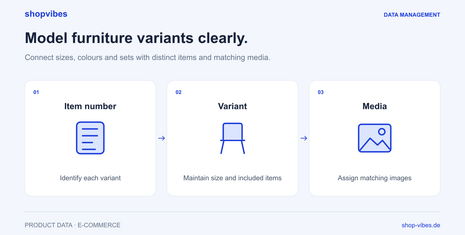
Check each item separately: identifiers, width and images must belong to the variant offered. A price or stock correction does not fix an incorrectly assigned table width. Equally, a complete description does not automatically activate a missing seller offer.
Common problems and the next check
| Observation | Check first | Correction and verification |
|---|---|---|
| The EAN is found, but your offer is missing | Seller offer and target market | Review offer data in the agreed process, then check its status again |
| Wrong size or variant image | Item assignment and source attributes | Correct the source record or mapping, then check the test item again |
| Content differs from your last submission | Submitted values and visible product content | Record the difference and resolve it using partner feedback or support |
| An additional market produces different results | Account approval, market and language | Test that market separately; do not infer approval from another market |
Our article EAN found, but the Kaufland offer is not visible provides the detailed troubleshooting steps.
Prepare further variants and retailers
A shared data model keeps item attributes traceable across channels. Our guide to furniture variants and sets explains the structure. For ambiguous dimensions, use the guide to product dimensions, packaging and packages.
The furniture solution connects these topics. The published Forte case study describes distribution to several furniture channels. For file-based partners, the template guide explains the separate export process.
Use the marketplace integration directory to find other retail partners for your catalogue.
Sources and review date
Reviewed on 3 November 2026. Specific categories, account approvals and updates are checked for your setup.
- shopvibes: Kaufland connection, in German
- Kaufland: product data model
- Kaufland: seller offers and live status
Updated: