How shopvibes supports your Galaxus project
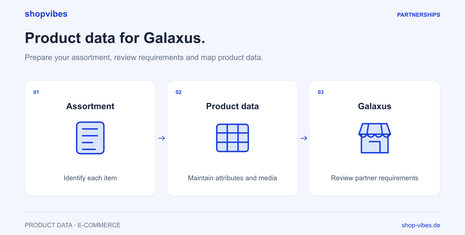
New products, additional sizes or updated images: your range keeps changing. In shopvibes, you maintain product information in one place and use it to prepare output for your partner.
- Bring product information together. Keep item numbers, GTINs, descriptions, dimensions and materials up to date in a shared product catalogue.
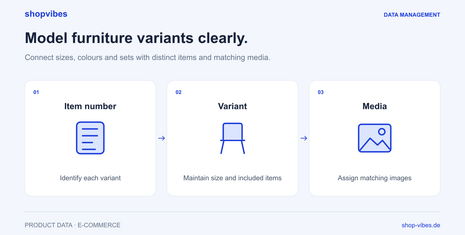
- Assign variants and media. Maintain attributes and images for the relevant version, so a 160 cm bed has the correct dimensions and product photos.
- Prepare the partner format. Use the Mapping Editor to connect your attributes, fixed values and value mappings with the fields of the configured format. Reuse that mapping for more products and updated outputs.
The shopvibes Mapping Editor guide explains how the assignments work (in German).
From your product data to Galaxus output
- Define the range and requirements. Together, we clarify the target market, merchant or supplier model and current requirements for your output.
- Prepare product data. Bring product attributes, variants and images together in shopvibes. Add missing information at the relevant data source.
- Map the fields. Connect your attributes with the partner fields, including units, fixed values and permitted terms.
- Review a test output. Use a small selection to check that attributes, images and variants appear as intended. For configured template partners, you receive a downloadable file.
- Check the handover and result. After the agreed handover, review import feedback and the product presentation at Galaxus. Correct recurring errors in the source data or mapping.
The template export and subsequent transfer are separate steps. We agree the specific handover method for your Galaxus project.
Example: Two bed sizes with clearly assigned data
Each variant needs the data that belongs to the individual item. Your internal catalogue for a bed in two sizes could look like this. These are fictional example values, not a Galaxus template.
| SKU | Sleeping area (W × L) | External dimensions (W × L) | Contents supplied |
|---|---|---|---|
| DEMO-BED-160-GREY | 160 × 200 cm | 170 × 210 cm | Bed frame without mattress or slatted base |
| DEMO-BED-180-GREY | 180 × 200 cm | 190 × 210 cm | Bed frame without mattress or slatted base |
Maintain sleeping area and external dimensions as separate attributes. In the mapping, assign the relevant attribute to the destination field and check both sizes in the output. Images, material and contents supplied must also match the variant. This lets you correct an inaccurate value in the source data or its assignment.
The variant guide explains the distinction between individual items, variants and sets.
What matters for your Galaxus project
Target market and partner model. Galaxus describes separate merchant programmes for Switzerland and Germany. Becoming a supplier follows a separate application process. Requirements, approval and commercial terms depend on your programme and target market.
Product data and transfer. The merchant programmes describe CSV/FTP processes; for suppliers, Galaxus lists FTP, middleware and a webservice. During setup, we agree which output and handover you use with shopvibes. The current Galaxus product data documentation helps explain the requirements.
Prices, stock and orders. We scope the data sources, update frequency and responsibilities for ongoing offer data and order processes separately. Shipping and returns also need planning, particularly for cross-border sales.
Frequently asked questions about Galaxus integration
Which product data should I prepare?
Start with item numbers and GTINs, descriptions, variant attributes, dimensions, material, contents supplied and matching images. Your Galaxus programme’s current requirements determine which fields are mandatory.
Can I reuse existing product data?
Yes, existing product information is the starting point. We clarify which sources it comes from, which details are missing and how it maps to the partner format.
What does it cost?
Galaxus provides the commercial terms for selling or supplying products. We discuss shopvibes setup and usage based on your range and the data workflow you need.
What will we cover in the demo?
We show you how to prepare data in shopvibes and discuss the next step for your Galaxus project. If you already have sample data and partner requirements, we can review them together. You can also book a conversation without preparing any files.
The Galaxus practical guide provides more examples of preparing and checking your data.
Updated: